Choose a WordPress theme for the website you plan to run
A WordPress theme controls the presentation of a WordPress website. It is a different product from an HTML template: you need a working WordPress installation, and the theme's installable files must be suitable for that installation. Start with your publishing workflow, page layouts and required integrations rather than choosing only from a homepage screenshot.
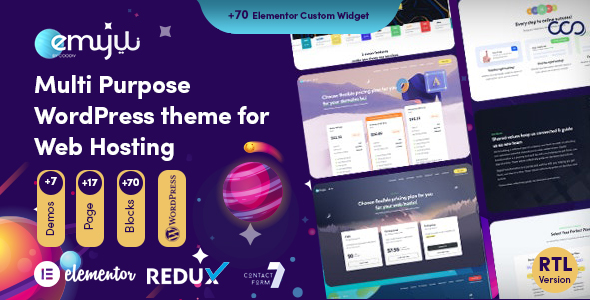
PowerPHP's WordPress listing is Emyui, a web-hosting WordPress theme. Open its product page for the current preview and purchase availability. A published preview does not mean a release is ready to buy. Check the purchase button and included-file information before planning a project around a download.
A checklist before choosing your theme
- Identify the pages you need: home, hosting services, pricing, company information, contact and editorial content.
- Check the stated WordPress requirements and the theme's required plugins. Ask about compatibility with your exact setup if it is not documented.
- Find out whether editing uses the block editor, a page builder or theme-specific controls. Choose a workflow your team can maintain.
- Compare mobile navigation, readable type, keyboard access and the clarity of forms in the live preview.
- Read the license and included-file list. Demo photography, fonts, plugins and backend services may have separate conditions.
- Confirm the support entitlement and release availability. Product-specific terms take priority over assumptions based on a screenshot.
WordPress and a hosting client area
A WordPress marketing website and a WHMCS client area serve different jobs. Your public website explains your hosting services; WHMCS handles its own client-facing account and ordering interfaces. Installing a WordPress theme does not by itself create a matching WHMCS theme or connect billing, provisioning and customer accounts.
If a combined WordPress and WHMCS setup is part of your project, make a list of the exact components needed on each side. Check integration requirements with the respective vendors. Do not assume that a bridge plugin, checkout design or WHMCS license is included with a WordPress theme unless the product explicitly says so.
Read our WHMCS theme buying guide for the distinction between system themes and order-form templates.
When an HTML hosting template may fit better
An HTML template can suit a developer who wants direct control of frontend files and plans to connect a custom backend. It is not an installable WordPress theme. PowerPHP's CloudTail is a hosting HTML template, so it should be evaluated as that product type rather than as a WordPress or WHMCS installation package.
Our WordPress theme versus HTML template guide helps you compare those workflows. Browse the HTML template catalog if you are building a frontend for your own application.
Downloads, licenses and subscriptions
For products purchased through Freemius, available downloads, invoices and subscription controls live in the customer portal. Read the current checkout terms and our licensing guide before purchase. All Access covers only the PowerPHP products explicitly included in its bundle. It does not automatically cover every listing, future preview or independent author's product.
For background on how themes work, see the official WordPress theme documentation.