Choose a frontend for your hosting website
A hosting website template provides the HTML, styling and frontend layouts for your public website. It can be a practical starting point when a developer will adapt the design and connect the services behind it. Choose the layout around your hosting plans, service information and customer journeys rather than a screenshot alone.
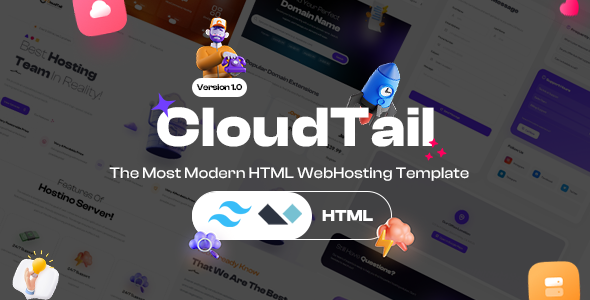
PowerPHP's hosting HTML offering is CloudTail. Its product card above shows the current price and availability. Open the product page for the preview, included layouts and purchase options.
CloudTail: a Tailwind hosting template
CloudTail supplies HTML pages for hosting and technology websites, with Tailwind CSS styling. The reviewed package includes several homepage variants, hosting-service pages, domain layouts, company/contact pages, blog layouts and account-interface designs.
For a developer planning changes, the package separates the source CSS from the compiled stylesheet and includes build/watch commands. Our CloudTail files and customization guide shows the actual folders, page examples and commands from the supplied archive. Use it to understand the workflow before choosing the template for your project.
Match the package to the work you need
| Your requirement |
What to check |
| A public hosting marketing website |
The supplied homepages, service layouts, navigation and contact-page design |
| A Tailwind development workflow |
The source stylesheet, package dependencies and CSS build commands |
| Working domain search or contact delivery |
Your chosen backend/API and form delivery implementation |
| A customer account and billing area |
The separate application, authentication and ordering flow you intend to use |
| WordPress-based editing |
An installable WordPress theme and its documented editing workflow |
HTML layouts for login, dashboards or domain search still need their underlying services. Check your implementation budget as well as the template price. Fonts, media and third-party components remain subject to their applicable licenses.
HTML, WordPress and WHMCS serve different roles
CloudTail is an HTML frontend, not an installable WordPress or WHMCS theme. A WordPress website uses its own theme and publishing workflow. A WHMCS client area and ordering interface use WHMCS system themes and order-form templates.
If you are deciding between publishing workflows, read WordPress theme or HTML hosting template?. If you already use WHMCS, our hosting website and WHMCS planning checklist helps separate your public website, client area and ordering responsibilities.
Check licensing and delivery before purchase
Review the product's current included files, preview and license conditions. Individual PowerPHP purchases and eligible All Access downloads are handled through Freemius. The pricing page explains current subscription options; independent authors' products are outside the PowerPHP bundle.
Already purchased? Use the customer portal for available downloads and billing controls. Ask about any requirement that is not documented on the product page before planning your site around it.